
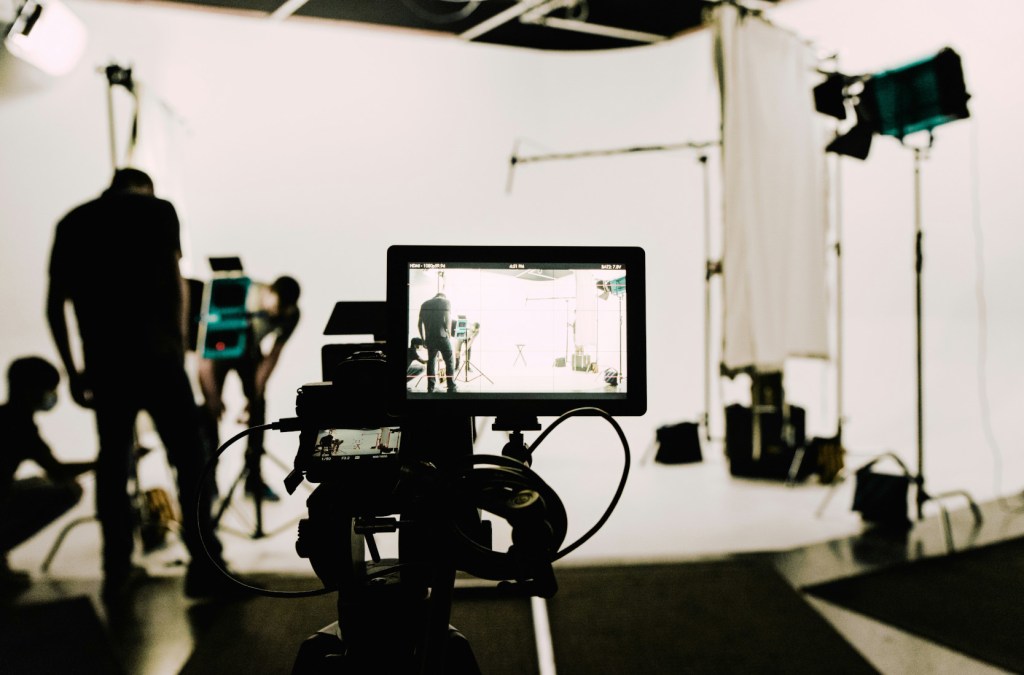
A good camera helps, but the real secret to looking sharp on stream is your lighting — and most beginners get this part completely wrong. Whether you’re streaming on Twitch, filming YouTube content, or just hopping on camera for the first time, your lighting setup has a massive impact on how clean, professional, and watchable your video looks. You don’t need to spend a fortune to get started — you just need to understand a few lighting basics and pick gear that does the job right.
In this guide, I’m going to break down exactly why lighting matters for streaming and YouTube, how to get your setup looking clean and professional (without needing a degree in cinematography), and recommend three lights that are perfect for beginners—from a budget ring light to more advanced options like the Elgato Ring Light and the Elgato Key Light.
Whether you’re streaming on Twitch, filming YouTube videos, or hopping on video calls, this is one of the easiest upgrades you can make to instantly look better on camera.
Why Lighting Matters More Than You Think
You can have the best camera in the world, but if your lighting is bad, your video is still going to look rough.
Here’s why lighting is so important:
- Visibility: Good lighting makes sure your face is clearly visible. If viewers can’t see you well, they’re way less likely to stick around. People want to connect with the person on-screen—not a shadowy figure in the dark.
- Camera Boost: Even a budget webcam like the Logitech C920 can look surprisingly crisp with the right lighting. Proper light gives your camera sensor the data it needs to create a clean, sharp image.
- Professionalism: Good lighting instantly gives your stream a more polished, professional look. You’ll stand out next to other creators who are sitting in dim rooms with their monitors as the only light source.
- Mood & Branding: Want a cozy vibe? Or a cool, futuristic tone? Lighting helps set the mood and can even be customized to match your stream’s branding or theme.
What Makes a Good Streaming Light Setup?
When people talk about the “best streaming light setup,” they’re usually referring to a combination of key light, fill light, and sometimes backlight. Don’t worry—you don’t need to get all three right out of the gate. Here’s what they are and how they work:
1. Key Light (Your Main Light)
This is your primary light source—the one that lights up your face and does most of the heavy lifting. If you’re only going to use one light, make it a good key light.
Placement Tip: Set it up directly in front of you or just off to the side (angled at about 45 degrees) and slightly above eye level. You want it to mimic natural light and reduce shadows under your eyes or chin.
2. Fill Light (Optional)
A fill light goes on the opposite side of your key light to soften shadows. You can always use something like a lamp or bounce light off a wall as a cheap fill option if you’re just starting out.
3. Backlight / Rim Light (Optional)
This adds depth and separates you from your background, so you don’t look like you’re part of the wall. RGB strips or a small light behind you can work here.
Basic Streaming Lighting Setup for Beginners
If you’re just getting started, here’s what I recommend:
- Start with one good key light.
- Turn off overhead lights (they often cast weird shadows or give off yellow tones).
- Balance natural light if you stream during the day. Close curtains or use blackout shades if sunlight is uneven or changes too much.
You don’t need a full production setup—just a single, well-placed light can make a huge difference.
The 3 Best Lights for Streaming (Beginner-Friendly)
Alright, let’s talk gear. These three lighting options are beginner-friendly, budget-aware, and a solid investment in your content creation setup.
NOTE: Some links in this post are affiliate links, meaning we earn a commission at no extra cost to you. This helps support the site while we provide quality recommendations.
💡 1. Basic Ring Light (Budget Starter Option)

If you’re looking for the most affordable way to improve your lighting, a basic 10–12″ ring light is a great place to start.
Why it works:
Ring lights provide even, soft lighting that reduces shadows and highlights your face. Most come with adjustable brightness and color temperature so you’re not stuck with that weird orange glow.
Best for:
- New streamers on a tight budget
- Webcam setups
- Anyone streaming in a small space
Quick tip: Place the ring light right behind your webcam or monitor. If your camera is centered inside the ring, it lights your face evenly without weird angles.
Recommended Product:
There are a bunch of options on Amazon in the $25–$40 range. Look for one with a sturdy tripod and adjustable brightness. This Kaiess 10.2″ Selfie Ring Light is a great option to start with.
💡 2. Elgato Ring Light – Pro-Level Lighting Made Simple
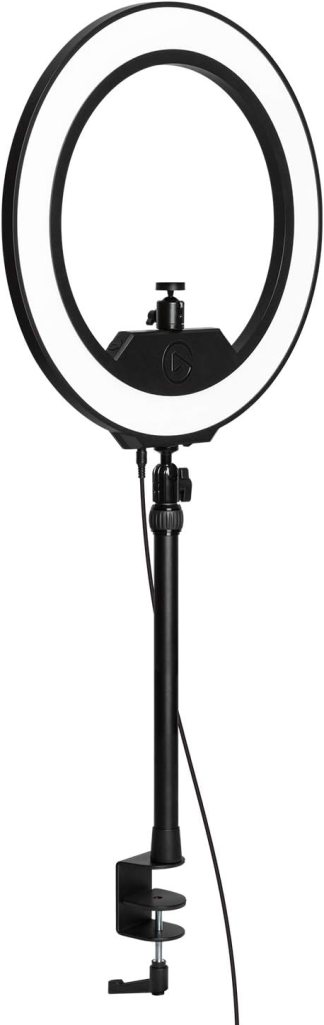
This is the light I recommend if you’re ready to level up from a basic ring light. The Elgato Ring Light is sleek, powerful, and built specifically for streamers and YouTubers who want total control over their lighting.
Why it’s great:
- Fully adjustable brightness and color temperature
- Controlled via Elgato Control Center software (desktop or phone)
- Mounts securely to your desk with a telescopic pole and ball head
- Soft, even light that flatters your face and cuts harsh shadows
Best for:
- Streamers who want a clean, professional look
- Creators filming at a desk or in a fixed setup
- Anyone who wants advanced control without setting up multiple lights
The Elgato Ring Light is way more than a cheap selfie ring — it’s made for real content creation. If you’re filming from a home setup and want something that looks great without being overwhelming, this is an easy win.
💡 3. Elgato Key Light (Premium Pick for Serious Setups)
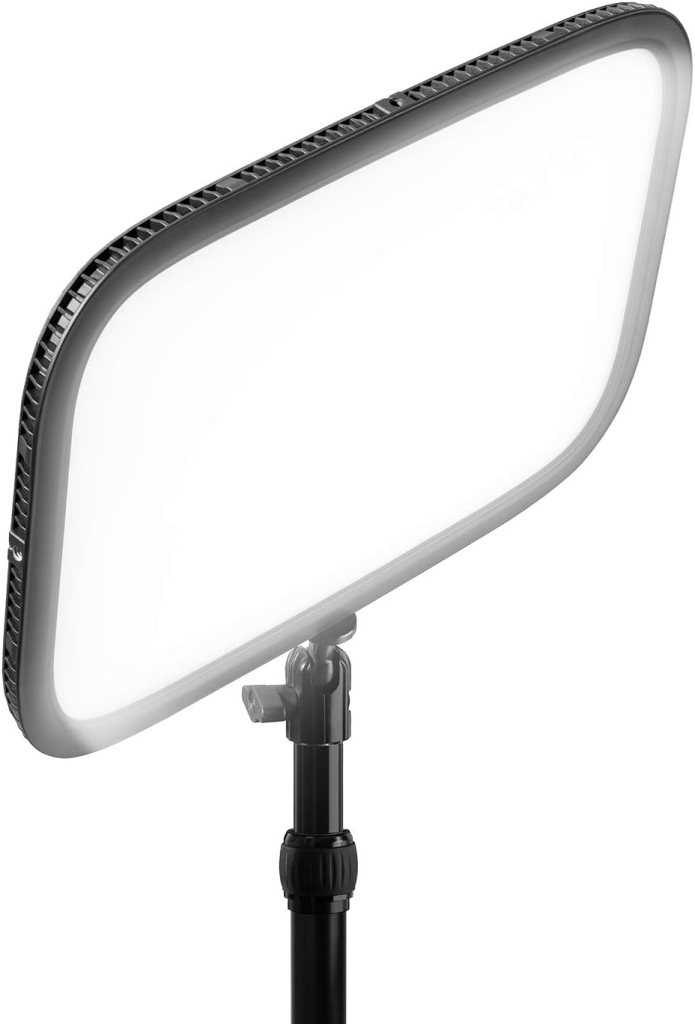
The Elgato Key Light is a favorite among top Twitch streamers and YouTubers—and for good reason. It’s bright, sleek, fully customizable, designed specifically for creators, and the light I personally use in my setup.
Why it’s worth the price:
- Easily mounts to your desk with the included clamp
- Bright enough to light an entire room if needed
- Adjustable via software with no need to fumble with physical buttons
- Looks great on-camera with soft, even lighting
Best for:
- Full-time or aspiring streamers
- Dual light setups (you can buy two for key + fill lighting; this is how I have my lights configured)
- Streamers who want a “set it and forget it” professional lighting solution
Yes, it’s more expensive than a ring light—but the upgrade in quality, flexibility, and reliability is 100% worth it if you’re serious about your stream looking clean and professional.
Bonus Tips for Better Lighting
- Avoid harsh overhead lights. They often cause shadows and weird reflections.
- Diffuse your light. A softbox or diffuser cover makes the light less intense and more flattering. If you don’t want to spend extra money, you could also face the light towards the wall.
- Don’t sit too close. You want light to spread evenly—sitting too close can blow out your face.
- Match color temperature. Most streamers go with neutral white light (between 4500K–5500K). It keeps skin tones looking natural and avoids the dreaded yellow or blue hue.
- Test your lighting before going live. Hop into OBS or your recording software and make small adjustments until your camera feed looks clean and natural.
Final Thoughts
Getting good lighting for streaming doesn’t have to be expensive or complicated. In fact, a single light placed correctly can instantly level up your stream—and help you stand out in a sea of dark, low-quality webcam feeds.
If you’re brand new to streaming or YouTube, start with what you can afford. A basic ring light will still be miles better than nothing. But if you’re ready to take your content seriously, investing in something like the Elgato Ring Light or Elgato Key Light will pay off every single time you hit “Go Live.”
No matter what you choose, lighting is one of the highest-impact upgrades you can make—and it’s something a lot of new streamers overlook. Don’t let that be you.
Recommended Products Recap:
- 💡 Budget Starter: Basic Ring Light
- 💡 Mid-Tier Upgrade: Elgato Ring Light
- 💡 Top-Tier Choice: Elgato Key Light
Looking for more streaming gear? Check out our Recommended Gear page—it’s designed specifically for beginners looking for a solid starting setup!


 GoLiveGear
Leave a comment